
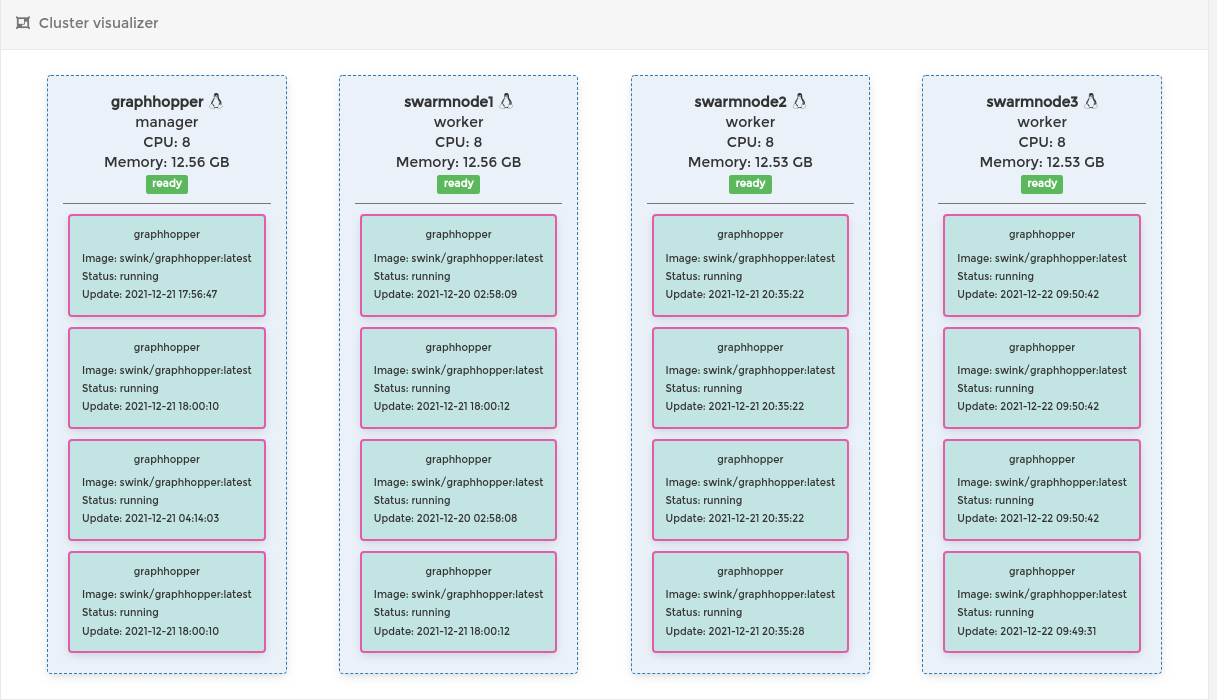
And so, we need to build the following model:
* Docker Swarm manager with 3 swarm nodes running docker graphHoppers and on the top of that – nginx with load balancing
1. Docker installation, swarm configuration
We gonna start with installation of docker on debian 11 machine.
apt-get install ca-certificates curl gnupg lsb-releasecurl -fsSL https://download.docker.com/linux/debian/gpg | sudo gpg --dearmor -o /usr/share/keyrings/docker-archive-keyring.gpgecho "deb [arch=$(dpkg --print-architecture) signed-by=/usr/share/keyrings/docker-archive-keyring.gpg] https://download.docker.com/linux/debian \
$(lsb_release -cs) stable" | sudo tee /etc/apt/sources.list.d/docker.list > /dev/nullsudo apt-get update
sudo apt-get install docker-ce docker-ce-cli containerd.ioAfter that you can check if docker service is running by
systemctl status dockersuccessful result will be
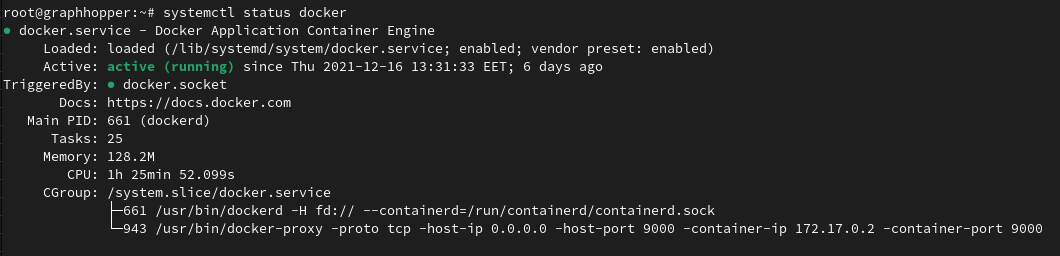 I will use my own docker repository of graphhopper, you can use any other method of running a container. To do this, first we need to login and pull our image.
docker login -u="user" -p="password"
docker pull user/graphhopperAnd finally we gonna need to initialize our server as a manager in swarm
docker swarm init --advertise-addr <MANAGER-IP>the output of this command will be a token, we gonna use it later.
Now we need to create graphhopper container
docker service create --name graphhopper --mount type=bind,source=/root/graphhopper/data,target=/data --publish 8989:8989 user/graphhopper:latest* in the source= we set the path to graphhopper local folder
Now we have swarm manager server with up and running graphhopper container.
Now we gonna create 3 more swarm node servers
Log in to a new server install docker service as we done it earlier and simply run the following command to join our swarm manager cluster
 docker swarm join \
  --token  SWMTKN-1-49nj1cmql0jkz5s954yi3oex3nedyz0fb0xx14ie39trti4wxv-8vxv8rssmk743ojnwacrr2e7c \
manager-ip:2377set the correct manager token and manager ip address and repeat that with the rest of the servers.
*⚠️ you have to copy graphhopper folder to each server to the path we set in source
/root/graphhopper/data
We can check our cluster with following command:
docker node ls

ID HOSTNAME STATUS AVAILABILITY MANAGER STATUS ENGINE VERSION
 graphhopper Ready Active Leader 20.10.8
 swarmnode1 Ready Active 20.10.10
 swarmnode2 Ready Active 20.10.12
swarmnode3 Ready Active 20.10.122. Nginx installation and load balancer configuration
Now we go back to our swarm manager server and install there nginx
apt install nginx -y
systemctl enable nginxWe’re also going to install apache2-utils to help us create the accounts used with basic authentication:
sudo apt install apache2-utilsNext, we’ll create a user account for the basic authentication (I chose kibanauser, but you can of course replace this with any user account you’d like):
sudo htpasswd -c /etc/nginx/.htpasswd routinguserAfter hitting enter, we’ll be prompted to enter and verify a password for the user.
New password:
Re-type new password:
Adding password for user routinguserNginx is up and running, now let’s configure it, edit the following file /etc/nginx/sites-enabled/default
upstream swarm_nodes {
server 127.0.0.1:8989; #swarm manager
server 10.1.0.1:8989;  #swarm node 1
server 10.1.0.2:8989;  #swarm node 2
server 10.1.0.3:8989;  #swarm node 3
}

server {
listen 80 default_server;
listen [::]:80 default_server;
root /var/www/html;
index index.html index.htm index.nginx-debian.html;

server_name example.com;
location / {
proxy_pass http://swarm_nodes;
proxy_read_timeout 3600;
auth_basic "Restricted Content";
auth_basic_user_file /etc/nginx/.htpasswd;
}
}in the upstream section we set ip addresses of all our nodes with ports on which our graphhopper container is running. Save and exit.
Restart the nginx service
systemctl restart nginxNow let’s check nginx logs to see how load balancer is working
tail -f /var/log/nginx/access.logmanager [22/Dec/2021:13:57:50 +0200] "GET /route?point=12345&type=json&lprofile=car&instructions=false&calc_points=false&ch.disable=true&heading=NaN HTTP/1.1" 200 - 10.1.0.1:8989manager [22/Dec/2021:13:57:50 +0200] "GET /route?point=12345&type=json&lprofile=car&instructions=false&calc_points=false&ch.disable=true&heading=NaN HTTP/1.1" 200 - 10.1.0.2:8989manager [22/Dec/2021:13:57:50 +0200] "GET /route?point=123456&type=json&lprofile=car&instructions=false&calc_points=false&ch.disable=true&heading=NaN HTTP/1.1" 200 - 10.1.0.3:8989manager [22/Dec/2021:14:58:44 +0200] "GET /route?point=12345&type=json&profile=car HTTP/1.1" 200 - 127.0.0.1:8989