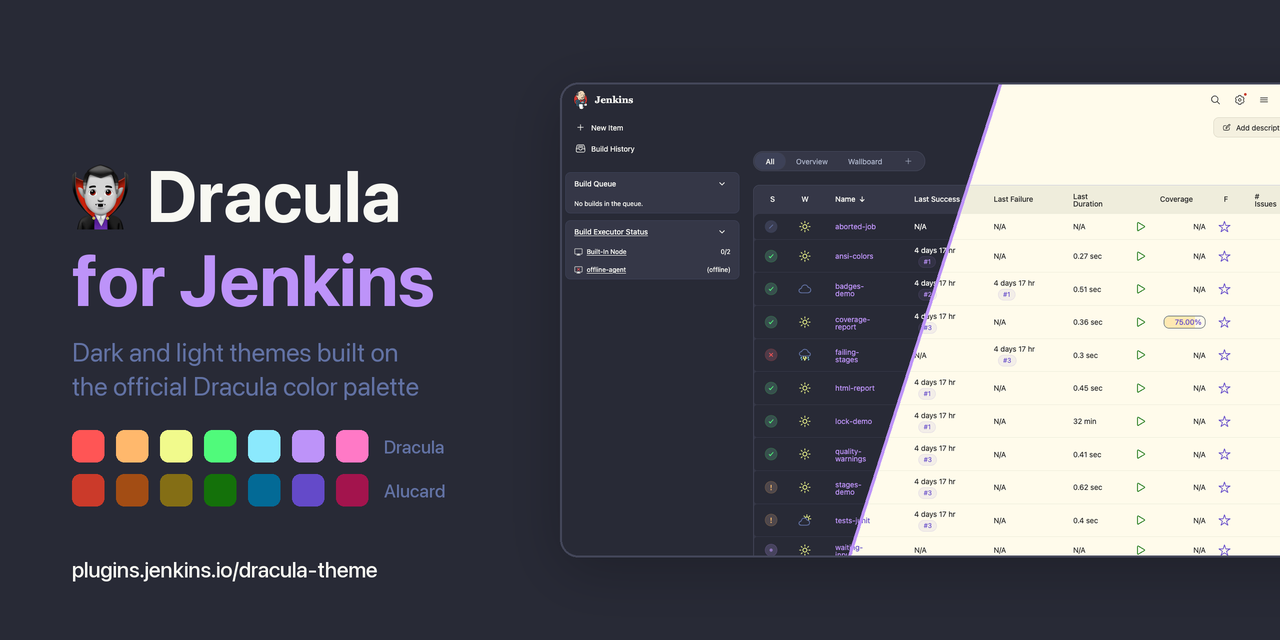
My terminal is Dracula, my editor is Dracula, the statusline in Claude Code is Dracula. Jenkins was the one window on that screen that was not, and I look at Jenkins more than I look at most of the rest. So I wrote a theme for it: Dracula Theme for Jenkins, three themes built on the official palette, now hosted under jenkinsci and installable from the Update Center.
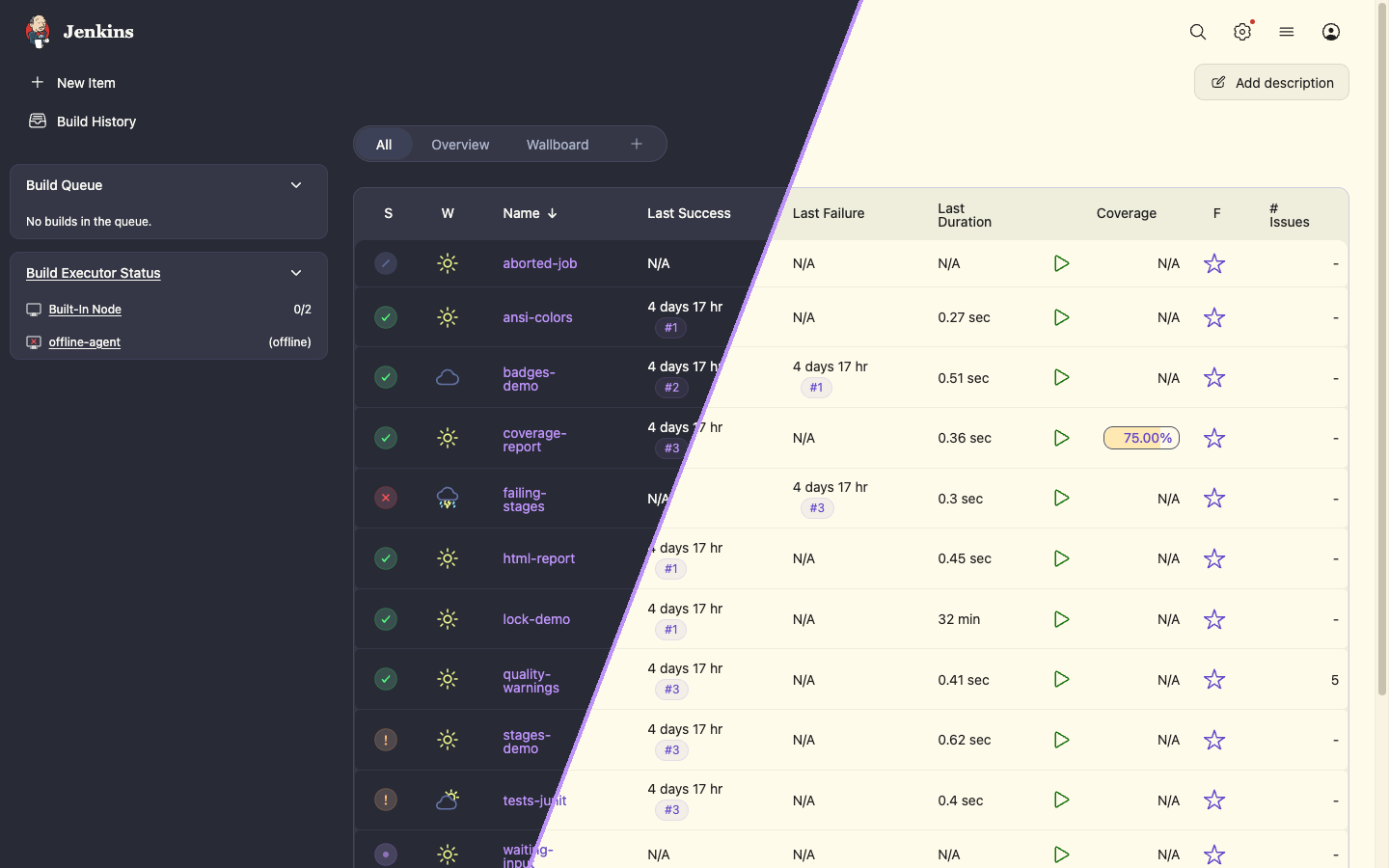
The Problem
Jenkins has had design tokens for a while. Pages, cards, tables, forms and buttons read their colors from CSS variables such as --background, --card-background, --text-color and --accent-color, and a theme is a plugin that sets them through the Theme Manager plugin. That part is solved. Core even ships Light, Dark and Dark (System) out of the box. What was missing was a Dracula theme: a built-in dark grey is still a different dark grey from the one in every other window, and that mismatch is exactly what keeps catching your eye.
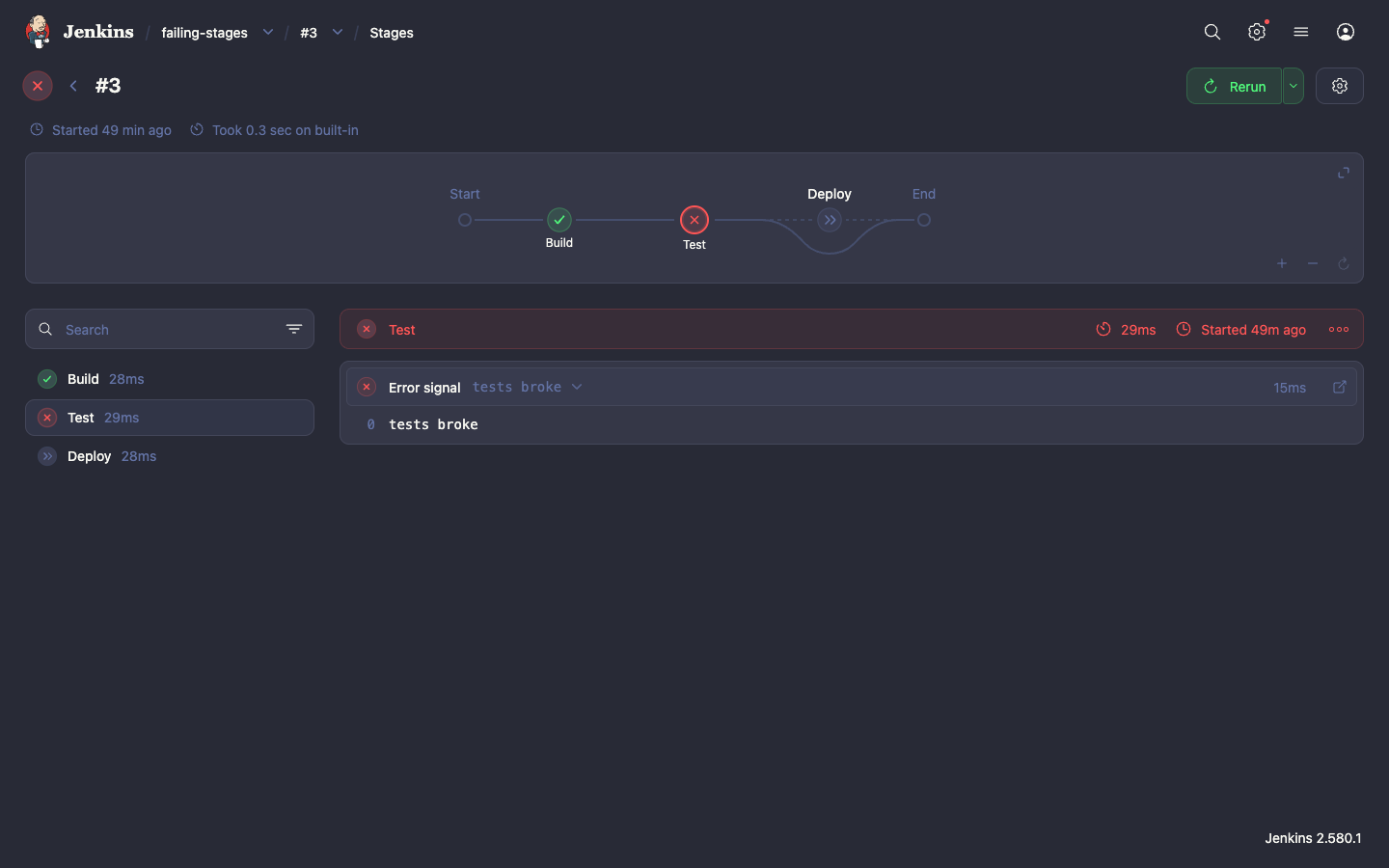
The other half of the problem is that a theme is only as good as the parts of the UI that follow it. Plenty of Jenkins pages do not come from core. A console with Build Failure Analyzer highlights, a Warnings Next Generation report, the Pipeline editor, a JUnit stack trace: every one of those is a different plugin, and some of them write colors into the markup instead of reading a token. You find out which ones the moment the background goes dark.
What I Built
The plugin ships three themes, all from one 285-line stylesheet:
- Dracula is the dark theme, Dracula Classic from the spec.
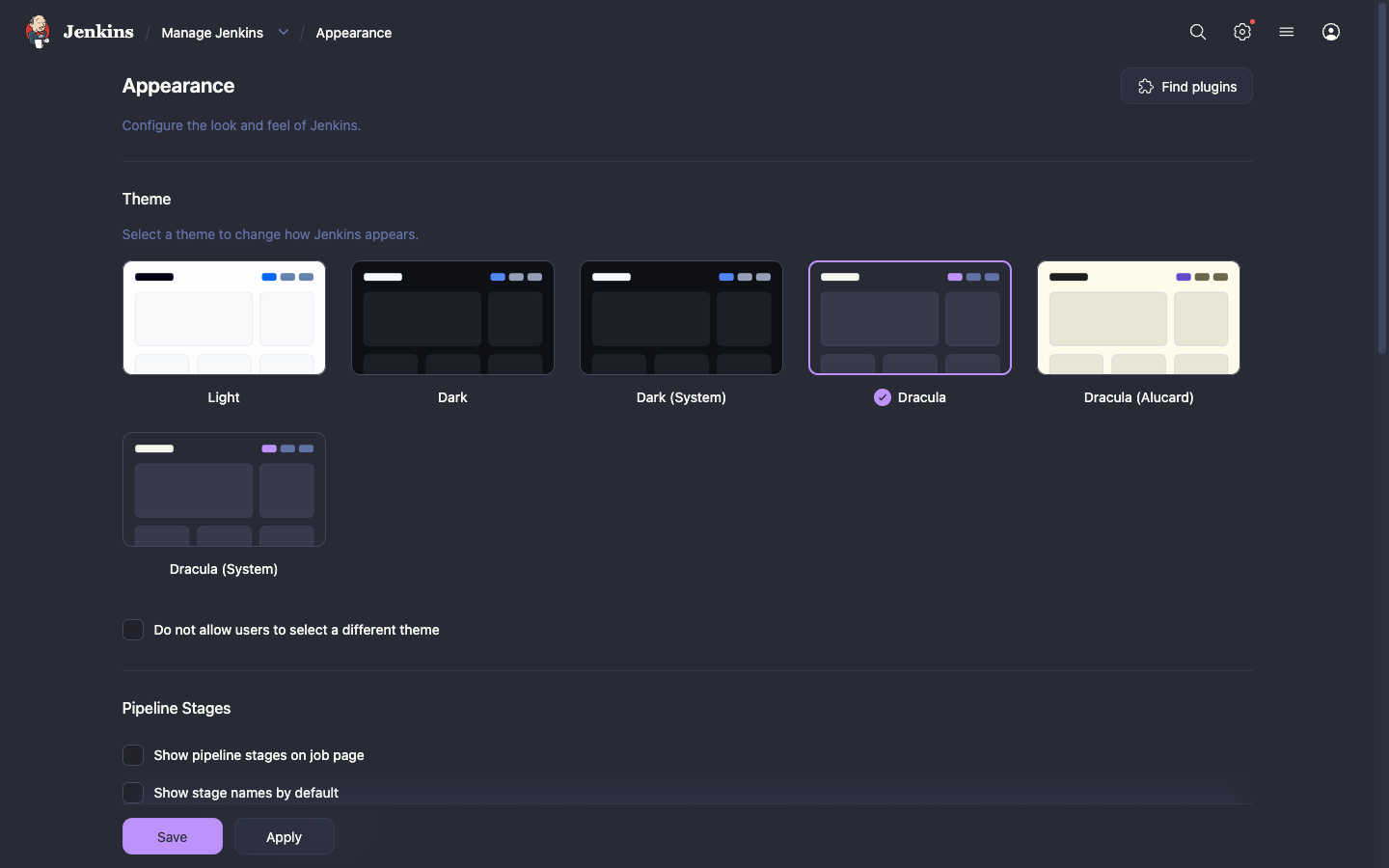
- Dracula (Alucard) is the light theme. Alucard is the official light variant of the palette, cream background and dark text, not an inverted Dracula.
- Dracula (System) follows the dark mode setting of the operating system and switches between the two.
Every color comes from the Dracula spec. No new hex values were invented for Jenkins, which was a rule I set early and which turned out to be the most useful constraint in the project: when a page needed a color the palette does not have, the answer was to pick the closest base color, not to mix a new one.
| Role | Dracula | Alucard | Jenkins tokens |
|---|---|---|---|
| Background | #282a36 | #fffbeb | --background |
| Cards and tables | #353747 | #efeddc | --card-background, --table-background |
| Text | #f8f8f2 | #1f1f1f | --text-color |
| Secondary text | #6272a4 | #6c664b | --text-color-secondary |
| Accent | #bd93f9 | #644ac9 | --accent-color, --blue, --purple |
| Success | #50fa7b | #14710a | --green |
| Failure | #ff5555 | #cb3a2a | --red |
| Unstable | #ffb86c | #a34d14 | --orange, --brown |
How It Works
Three descriptors, one stylesheet
Each theme is a ThemeManagerFactory that hands Theme Manager a stylesheet URL. The stylesheet is shared, and each variant is scoped to its own key, so the rules do nothing while another theme is selected:
[data-theme=dracula-alucard],
[data-theme=dracula-system] {
  --dracula-background: #fffbeb;
  --dracula-foreground: #1f1f1f;
}

@media (prefers-color-scheme: dark) {
  [data-theme=dracula-system] {
    --dracula-background: #282a36;
    --dracula-foreground: #f8f8f2;
  }
}That is the whole System theme: one media query over the same variables. On the Java side it adds respectSystemAppearance() and both Bootstrap properties, so Theme Manager hands Bootstrap 5 pages the light or the dark color mode depending on what the operating system says.
Only design tokens
The stylesheet sets the palette, then maps it to the Jenkins tokens. Nothing selects a plugin’s markup:
--background: var(--dracula-background);
--card-background: var(--dracula-surface);
--text-color: var(--dracula-foreground);
--accent-color: var(--dracula-purple);
--green: var(--dracula-green);
--red: var(--dracula-red);This is what makes the theme cheap to maintain. Everything that reads a token is themed for free: Pipeline Graph View, the Pipeline editor, the Script Console, Prism code views such as JUnit stack traces, Warnings Next Generation and Coverage through their Bootstrap color mode. I did not write a line of CSS for any of them.
A content hash on the stylesheet URL
The CSS is served with a fixed Last-Modified, so after a plugin update the browser revalidates, gets a 304 and keeps the old file. Users would upgrade the plugin and see no change until a hard reload. The fix is eight characters of digest in the URL:
curl -sI http://jenkins.example/theme-dracula/dracula.css | head -3
# the Appearance page links /theme-dracula/dracula.css?v=287b93d7The hash is Util.getDigestOf() over the file, cut to eight characters and cached in a static field. New CSS means a new URL, so the browser fetches it. Same CSS after a rebuild means the same URL and no pointless download.
Installation
Prerequisites
Jenkins 2.541.3 or newer. The Theme Manager plugin is a dependency and is installed with it, so there is nothing to install first. The themes were checked page by page on 2.580.1 in Chrome.
Step 1: install the plugin
Go to Manage Jenkins > Plugins > Available plugins, search for Dracula Theme and install it. Expected result: the plugin shows up under Installed plugins together with Theme Manager.
Step 2: select a theme
For the whole instance, go to Manage Jenkins > Appearance, pick Dracula, Dracula (Alucard) or Dracula (System) and save. For one account, open the user menu and go to Appearance there. Expected result: the page is in the palette before the save finishes rendering.
Step 3: or set it in code
With the Configuration as Code plugin, the theme is three lines, and disableUserThemes decides whether anyone can pick a different one:
appearance:
  themeManager:
    disableUserThemes: true
theme: "dracula"Use "draculaAlucard" or "draculaSystem" for the other two. Expected result: after a reload of the configuration, the Appearance page shows the theme as selected and, with disableUserThemes, the per-user selector is gone.
Links
- Plugin page: plugins.jenkins.io/dracula-theme
- Source and issues: github.com/jenkinsci/dracula-theme-plugin
- Palette: draculatheme.com/spec
- Licence: MIT. If a Jenkins page looks wrong with the theme, open an issue with a screenshot and the Jenkins version.
Status: dracula-theme In the Update Center