Last updated on October 26, 2026
Updated October 2026. Tested on Ubuntu 24.04 (systemd 255) and Rocky Linux 9 (systemd 252). The old version of this post had a trap in it: journalctl --vacuum-size on its own often frees nothing at all. Below is what actually happens, how to clean up safely, and how to make sure the journal never fills the disk again.
1. See how much space the journal takes
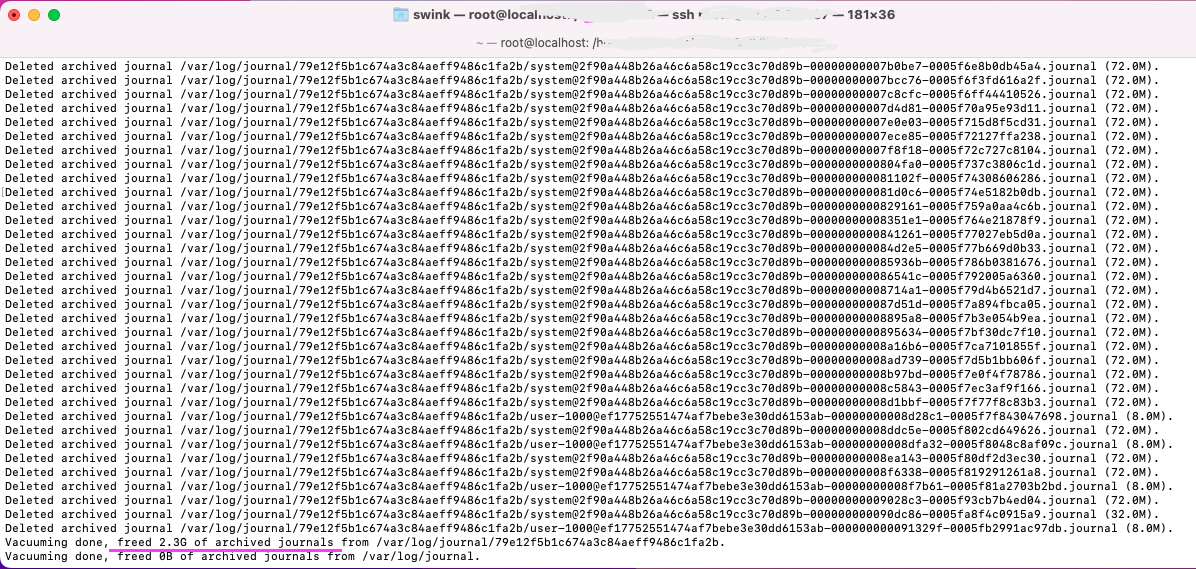
journalctl --disk-usageExpected result: Archived and active journals take up 1.2G in the file system. The files live in /var/log/journal when the journal is persistent, or in /run/log/journal (RAM) when it is not.
2. Find out who is writing so much
Cleaning up is pointless if one noisy service fills the journal again by tomorrow. Count messages per program for the last hour:
journalctl --since "1 hour ago" -o verbose --output-fields=SYSLOG_IDENTIFIER \
| grep -E '^\s+SYSLOG_IDENTIFIER=' | sort | uniq -c | sort -rn | headExpected result: a short list with the loudest identifier on top. If it is your application logging every request at debug level, fix that first.
3. Rotate, then vacuum
This is the part the old post got wrong. The vacuum options only delete archived journal files. Everything written since the last rotation sits in the active system.journal, and vacuum does not touch it:
journalctl --vacuum-size=500M
# Vacuuming done, freed 0B of archived journals from /var/log/journal.Rotate first so the active file becomes an archive, then vacuum. Both options work in one command:
# keep the newest 500M
journalctl --rotate --vacuum-size=500M

# or keep the last two weeks
journalctl --rotate --vacuum-time=2weeks

# or keep the last 5 files
journalctl --rotate --vacuum-files=5Note that --vacuum-size=500M does not mean “delete logs larger than 500M”. It deletes the oldest archived files until everything left fits into 500M. There is no need to restart systemd-journald afterwards.
To throw everything away, for example on a test box, keep only the last second:
journalctl --rotate --vacuum-time=1s
journalctl --disk-usage4. Set a permanent limit
By default journald may use up to 10% of the filesystem (capped at 4G). On a small root disk that is a lot. Put the limits in a drop-in file instead of editing journald.conf, so package updates do not overwrite them:
mkdir -p /etc/systemd/journald.conf.d
cat > /etc/systemd/journald.conf.d/size.conf <<'EOF'
[Journal]
SystemMaxUse=500M
SystemKeepFree=1G
MaxRetentionSec=1month
EOF
systemctl restart systemd-journaldSystemMaxUse caps the total size, SystemKeepFree makes journald back off when the disk itself gets full, and MaxRetentionSec drops entries older than a month. Check that the file is picked up:
systemd-analyze cat-config systemd/journald.conf | grep -A4 size.confIn the test, 60,000 noisy lines with SystemMaxUse=20M left the journal at 18.6M: journald rotates and deletes old files by itself once the limit is set.
5. Make sure logs survive a reboot
On some minimal images (the Rocky Linux 9 container image, for example) /var/log/journal does not exist, so the journal lives in RAM and is gone after a reboot. Create the directory to make it persistent:
mkdir -p /var/log/journal
systemd-tmpfiles --create --prefix /var/log/journal
systemctl restart systemd-journald
journalctl --flush
journalctl --header | grep -m1 'File path'Expected result: File path: /var/log/journal/<machine-id>/system.journal.
Gotchas
- Vacuum without rotate frees nothing on a quiet system, because all recent logs are in the active file.
- Deleting files in
/var/log/journalby hand works but can leave journald writing to a deleted file until it rotates. Use the vacuum options. - Logs are evidence. If you are cleaning up after an incident, export what you need first, for example
journalctl -u nginx --since yesterday > nginx.log. - rsyslog may keep a second copy in
/var/log/messagesor/var/log/syslog. That is logrotate’s job, not journald’s. - Check integrity after a crash or a full disk with
journalctl --verify.
Takeaways
journalctl --rotate --vacuum-size=500M, not--vacuum-sizealone.- A drop-in with
SystemMaxUsefixes the problem for good. - Find the noisy service before you clean, or you will be back tomorrow.